⚡ Fast  ·  Client-side  ·  Privacy-first

Tools that run
entirely in your browser

No sign-up. No server uploads. No tracking.

2 Tools
0 Bytes uploaded
100% In-browser

Our Tools

SnapCast

Real-time photo slideshow for live events

Host a live photo wall at weddings, parties, and conferences. Guests scan a QR code, snap a photo on their phone, and it appears on the big screen within seconds. Includes animated effects, remote control, and post-event gallery.

  • QR-code guest onboarding
  • Realtime Firestore sync
  • Animated slideshow effects
  • Remote control from phone
  • Post-event photo gallery
Open tool →
🎉 Live demo — photos update in real time

See it in action — right now

This is a real, live SnapCast event. Scan the QR code with your phone, take a photo, and watch it appear on the slideshow within seconds. No sign-up needed.
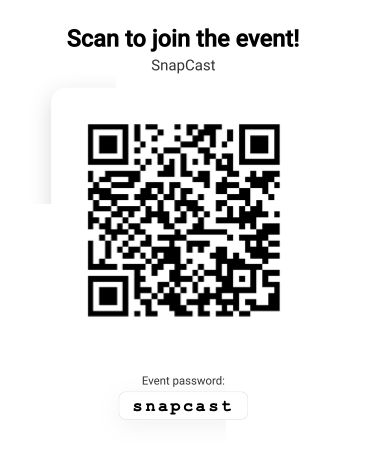
https://snapcast.js-tools.org/slideshow/XDXQK8?token=kypbsfpkdaxw67i67vql
QR code

Opens the guest upload screen on your phone

📸 Photo slots are limited. Want a private demo for your event?

Image Optimizer

Compress & convert images — 100% in-browser

Drag and drop images to compress them with zero quality loss. Supports JPEG, PNG, WebP, and HEIC from iPhone. Add watermarks, resize in bulk, compare before/after — all without uploading a single byte to any server.

  • JPEG & WebP output
  • Bulk processing with progress
  • Text & image watermarks
  • Before/after comparison slider
  • HEIC/HEIF support (iPhone photos)
Open tool →

Why js-tools?

Privacy First

Your files never leave your device. Processing happens entirely in the browser.

Lightning Fast

No installation, no uploads. Open a tool and start working instantly. Processing happens right on your device.

Convenient

No account needed, no complexity. Just open, use, and go. Everything you need is right there.

Frequently Asked Questions

How do these tools process files entirely in my browser?

Our tools utilize cutting-edge web technologies like WebAssembly, HTML5 APIs, and Canvas. When you import an image, your browser processes it directly on your computer using local computing resources. No files are uploaded to any external server, ensuring maximum privacy and speed.

Are my files safe and private?

Yes, absolutely. Because all file processing happens locally in your browser sandbox, your files never leave your device. We do not (and cannot) see, store, or collect any of your files or personal data.

What image formats does the Image Optimizer support?

The Image Optimizer supports standard web formats including JPEG, PNG, WebP, SVG, and even HEIC/HEIF files directly from iPhones, making it easy to convert and compress iPhone photos for web use.

How does the SnapCast live slideshow demo work?

SnapCast uses a real-time database connection to instantly synchronize photo uploads. Guests scan a dynamically generated QR code using their smartphone, snap a photo, and the image is cast to the active live slideshow within seconds without requiring any app installations.

Is there a limit on file size or bulk processing count?

There are no artificial limits imposed by js-tools. You can process as many files as your device memory can handle. Large batch sizes are processed sequentially to prevent browser tabs from freezing.